



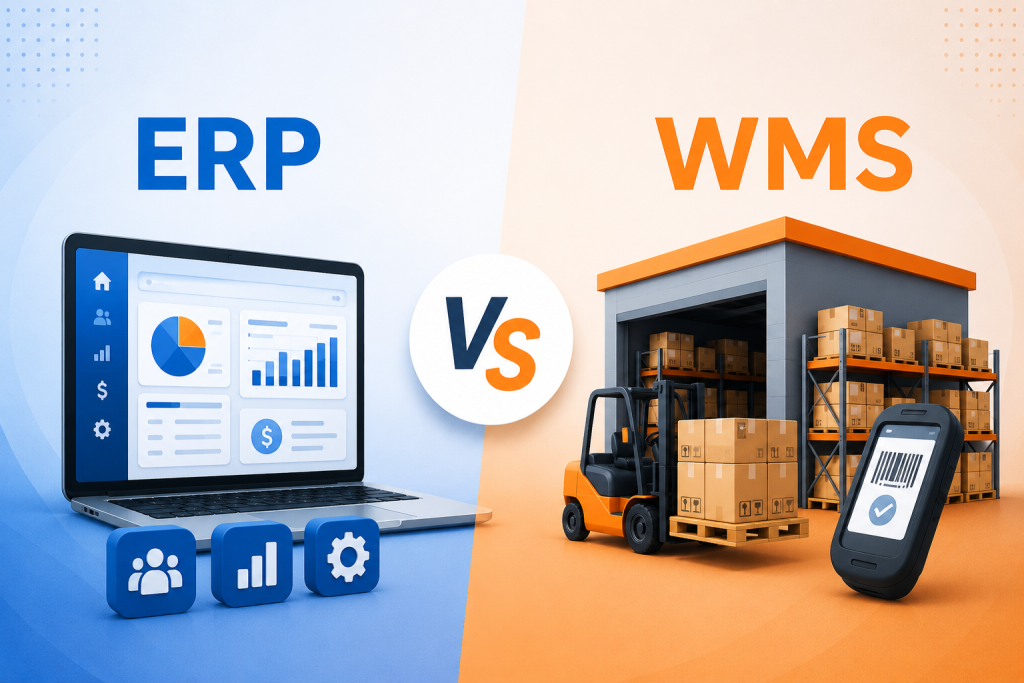
Enterprise Resource Planning (ERP) and Warehouse Management Systems (WMS) are both critical to modern supply chains, but they serve different purposes. ERP is like the “brain” of a business – a broad platform that centralizes finance, HR, procurement, demand planning, and higher-level inventory data across the entire organization. In contrast, a WMS is the “muscle” that executes warehouse tasks – it optimizes on-the-floor operations such as receiving, putaway, picking, packing, shipping, and returns. Because WMS provides fine-grained, real-time inventory tracking (even down to specific bins or shelves), it can dramatically improve warehouse efficiency through better workflows and fewer errors.
Integrating ERP and WMS gives businesses the best of both worlds: broad oversight with detailed execution. The ERP plans and tracks orders and financials, then hands off execution to the WMS; the WMS in turn feeds back real-time status and inventory updates to the ERP. This high-speed sync prevents data silos (no overselling or invoicing errors) and boosts efficiency. In practice, many small-to-medium businesses may start with an ERP’s basic WMS module, but as operations grow – or in highly dynamic fulfillment environments – a dedicated WMS offers deeper functionality (like optimized slotting, labor management, and automation integration).
This deep dive will compare ERP vs WMS in detail: definitions, core functions, integration points, deployment scenarios, pros/cons, cost/ROI, implementation challenges, real-world examples, and future trends (cloud, AI/automation). Throughout, we’ll highlight how each system can improve warehouse efficiency, how to choose between them, and why many firms use both in tandem.
Good Read: 10 Top Warehouse Management Systems in 2026
What Are ERP and WMS Systems?
ERP (Enterprise Resource Planning) is a comprehensive software suite that integrates core business processes across an organization. An ERP typically includes modules for finance/accounting, human resources, procurement, demand planning, manufacturing, inventory management, sales order processing, CRM, and more. Its goal is to provide a centralized data platform and real-time visibility into operations so that each department can coordinate with others. For example, when a sales order is entered, the ERP ensures the procurement, inventory, and finance teams are all aligned (e.g. budget authorized, raw materials ordered). In short, the ERP is the “business brain” that plans and tracks resources end-to-end.
An ERP’s inventory management is high-level: it tracks quantities, valuations, and commitments to maintain accurate financial records. It may record which warehouse or location holds a product, but often won’t detail exact bin locations or real-time worker activities. Most businesses rely on the ERP for order entry, invoicing, accounting, and supply chain planning – the “Lead to Cash” and “Source to Pay” cycles – rather than day-to-day warehouse picks. (Many ERP suites do include a basic WMS module or add-on for simple warehouses: bin tracking, receiving, and shipping for smaller operations.)
In contrast, a WMS (Warehouse Management System) is specialized software focused purely on warehouse operations. It’s the “muscle” that executes the ERP’s plans on the warehouse floor. A WMS manages the flow of goods in and out of the warehouse, using real-time data (scanners, RFID, etc.) to direct daily tasks. Typical WMS functions include:
- Receiving & Putaway: Record goods receipts and direct where to store incoming stock (allocating bins/racks).
- Inventory Tracking: Maintain real-time SKU quantities by bin or shelf. Track lots/serial numbers, expiry dates, and handling units.
- Order Picking & Packing: Generate pick lists, optimize picking paths or waves, guide pack-and-ship processes, and manage labor tasks.
- Shipping & Returns: Orchestrate carrier selection, rate shopping, shipping labels, and cross-docking, as well as process returns back into inventory.
- Labor Management: (In advanced WMS) monitor worker productivity, set standards, balance workloads, and schedule shifts.
- Automation Integration: Interface with conveyors, sorters, AS/RS, and robots (AMRs/AGVs) to coordinate automated material handling.
- Reporting & Analytics: Provide dashboards on throughput, labor, and inventory accuracy to continually tweak operations.
In short, a WMS provides fine-grained warehouse efficiency tools that ERPs typically lack. It supports “lean” or just-in-time operations by constantly optimizing how inventory moves in the building. For example, it can recommend slotting (placing hot items near shipping) and task interleaving (combining putaway and picking) to save time.
A key point: ERP and WMS overlap on inventory functions, but at different levels of detail. Both track stock, but the WMS tracks exact location and movement (often real-time), whereas the ERP tracks aggregate quantities and valuations for accounting. The WMS is built to improve warehouse efficiency on the floor; ERP is built to improve efficiency and visibility across the whole company.
ERP vs WMS: Core Features Comparison
| Feature / Function | WMS (Warehouse Mgmt System) | ERP (Enterprise Resource Planning) |
|---|---|---|
| Primary Purpose | Optimize warehouse/logistics (storage, picking, shipping) | Manage all business processes (finance, HR, procurement, etc.) |
| Inventory Tracking | Granular, real-time by bin/SKU/lot/serial (RF/barcode/RFID) | High-level inventory counts and valuations; may lack bin details |
| Order Fulfillment | Advanced picking strategies (wave, batch, zone), cross-docking, packing workflows | Order entry, allocation, invoicing; basic shipping functions |
| Warehouse Optimization | Slotting, task interleaving, dock scheduling, labor management | Not typically; may plan at SKU level but not optimize physical layout |
| Data Processing | Real-time updates with mobile scanners/sensors | Often batch-oriented, though modern ERP can sync regularly (hourly/daily) |
| Integration Needs | Built to integrate up (with ERP, WMS, TMS, etc.) | Often serves as the central hub for data; integrates data in and out |
| Implementation Time | Typically shorter (weeks to a few months) | Longer (6–18+ months), requiring cross-departmental rollout |
| Cost & ROI | Lower initial cost; quicker ROI on efficiency gains | Higher upfront cost; ROI may come later through broad improvements |
| Best Fit For | Complex or high-volume warehousing; 3PLs; growth-stage companies | End-to-end businesses needing unified data; stable processes; smaller scale |
| Scalability | Scales with fulfillment complexity (workload, automation) | Scales across org; adding modules (CRM, SCM, etc.) as needed |
This comparison highlights that a WMS is warehouse-centric with deep operational features, while an ERP is company-centric with broad process coverage. In many cases, companies use the ERP for high-level planning and the WMS for day-to-day warehouse control.
ERP and WMS: Scope and Functionality Differences
The main differences between ERP and WMS boil down to scope, specialization, and granularity:
- Scope & Focus: ERP has a broad scope, covering all major business functions – finance, HR, procurement, CRM, manufacturing, high-level inventory, etc. – to provide a unified view of the enterprise. WMS has a narrow focus: it is designed specifically for warehouses and fulfillment centers, optimizing how products are stored, moved, and shipped.
- Depth of Functionality: WMS systems offer deep, specialized features for warehouse tasks. This includes advanced slotting, cross-docking, directed putaway, pick-path algorithms, RF/barcode scanning, cycle counting, and labor tracking. ERP systems may include basic warehouse features, but they are typically more generic and less granular. For instance, an ERP might simply record that 50 units are in stock, whereas a WMS can tell you exactly which bin those 50 units occupy and their serial numbers.
- Data Timeliness: WMS is built for real-time control, often using mobile devices and barcode scanners to update inventory instantly. ERP systems traditionally processed inventory in batch mode (e.g. nightly updates), though modern ERPs may also use real-time connections. This means a WMS can immediately redirect labor if priorities change, while an ERP alone might lag behind current warehouse conditions.
- System Integration: By design, ERP integrates every department on a common platform. A WMS typically integrates upwards into an ERP (and often into other systems like Transportation Management or e-commerce platforms). A WMS complements ERP by providing the missing detail. Some ERP vendors sell their own WMS module (an “embedded WMS”), but these may lack the full power of a standalone WMS.
- Cost & Complexity: Standalone WMS solutions (especially cloud or SaaS ones) can be less expensive and faster to deploy than a full ERP suite, since they focus on one functional area. ERP systems are typically more costly and complex, requiring more time and cross-departmental planning to implement. As one source notes, WMS can offer faster ROI by addressing specific warehouse pain points, while ERP delivers broader benefits at a higher upfront investment.
In summary, ERP = broad brain, WMS = warehouse muscle. An analogy from SAP captures it well: “ERP is the business brain and WMS is the warehouse muscle”. ERP tells you what should happen and why across the business, while WMS figures out how it actually happens on the warehouse floor.
Integration between ERP and WMS
ERP and WMS are most powerful when integrated. A modern warehouse typically involves bi-directional data flows between the two systems. Integration points include:
- Order Fulfillment Flow: When a customer order is received, the ERP creates a sales order. It then issues a picking request to the WMS. The WMS manages the picking, packing, and shipping processes, and sends real-time updates back to the ERP on inventory status and order completion. For example, as items are picked and scanned, the WMS decrements inventory and notifies the ERP to allocate stock. When shipping is complete, the WMS confirms shipment, enabling the ERP to generate invoices.
- Inbound Receipts: ERP often handles procurement and receiving notifications. When goods are received at the dock, the WMS scans the incoming shipment, updates inventory at the bin level, and reports quantities to the ERP. The ERP then matches this to purchase orders and updates financials (e.g. accounts payable) accordingly. This closes the loop between purchasing and physical inventory.
- Returns and Replenishment: Returns processed in the warehouse (via WMS) should update the ERP so that inventory and customer credit are accurate. Similarly, cycle counts or physical inventory in WMS update the ERP’s on-hand quantities.
- Master Data & Catalogs: ERPs often maintain the item master (SKU definitions, costs, units of measure). The WMS imports this data for scanning and tracking. Conversely, the WMS may provide inventory location data or serial/lot traceability back to the ERP.
These interactions happen continuously (often thousands of times a day in high-volume sites). In practice, integration can be implemented via APIs, middleware, or custom connectors. The goal is a high-speed, automated handshake so that both systems stay in sync. SAP notes that without tight integration, firms risk “data silos”: sales could sell items no longer in stock, finance might invoice incorrectly, or the warehouse might ship goods to customers who haven’t paid.
ERP vs WMS: Typical Deployment Scenarios and Decision Factors
Whether to use just an ERP, just a WMS, or both depends on business size, complexity, and objectives:
- Small to Medium Businesses: Many small or simple operations start with an ERP alone (often cloud-based) that includes basic warehouse capabilities. This suffices when order volumes are modest and product flows are straightforward. The ERP handles inventory at a high level, and users manually manage warehouse tasks or use basic scanning. If a company’s main need is unified finance and order tracking (with minimal warehousing complexity), a standalone WMS may not be justified.
- Growing or Complex Warehouses: As throughput increases or fulfillment becomes more complex (e.g. multi-channel e-commerce, high SKU counts, lot control, or regulated products), an ERP’s simple warehouse module may become a bottleneck. In such cases, adding a dedicated WMS is beneficial. The WMS accelerates picking, improves accuracy, and provides visibility that general ERP reports can’t match. Industries like 3PL (third-party logistics), large manufacturing, food/drug distribution, and retail often require WMS from the start.
- Tiered Solutions: Some vendors offer tiered WMS within an ERP (e.g. SAP’s embedded WMS or third-party modules). This suits mid-sized businesses that want some extra features (wave picking, RF scanning) without implementing a full separate system. At the top tier, enterprises may run best-of-breed systems: a leading ERP (like SAP S/4HANA or Oracle ERP Cloud) integrated with a top-tier WMS (like Manhattan, Blue Yonder, or Infor WMS) plus other tools (TMS, APS, etc.).
- Single Platform vs Polyglot: In a fully integrated approach, the ERP and WMS can come from the same vendor (some vendors like Acumatica, Microsoft, and NetSuite offer both ERP and WMS modules). This can simplify integration (same vendor, possibly single database), but it may not have the depth of specialized products. Alternatively, businesses may mix & match: e.g. Microsoft Dynamics ERP + a third-party WMS.
Deployment factors to consider include:
- Scale and Throughput: Very high transaction rates favor dedicated WMS for real-time control.
- Industry Requirements: Regulated sectors (pharma, food) needing lot/expiry tracking may need specialized WMS features.
- Budget and Timeline: A WMS can often be rolled out faster (sometimes in weeks/months) versus 12–18+ months for a full ERP roll-out.
- Existing Systems: If you already have a legacy ERP, adding WMS might be easier than replacing ERP. Vice versa, if you have no system, an all-in-one ERP with some WMS might be simpler to start.
In essence, choose ERP alone if your warehouse needs are simple and you mainly need enterprise-wide data consistency. Choose WMS (with or without ERP) if you need to dramatically streamline picking/fulfillment and only later add broader ERP functions. Many fast-growing firms ultimately run both: ERP for planning/accounting and WMS for execution.
Good Read: Top Supply Chain Management Software in 2026
ERP vs WMS: Pros and Cons
Standalone WMS (advantages):
- Superior Warehouse Efficiency: Built-in optimizations (slotting, wave picking, real-time tracking) can significantly improve fulfillment speed and accuracy. For example, one study noted WMS can achieve 99.8% cycle count accuracy with the right barcoding (compared to ~accuracy in basic ERP scanning).
- Quick ROI on Warehouse Pain Points: With lower upfront cost and rapid implementation, ROI can be seen in months via reduced labor costs and errors.
- Ease of Use for Warehouse Staff: Interfaces and workflows are optimized for operations staff, often simpler than a complex ERP screen.
- Flexibility & Upgrades: Many WMS platforms (especially cloud/SaaS ones) update frequently and can adapt to new warehouse technologies (IoT, robotics).
- Scalable Automation: A WMS can integrate with automated equipment (AGVs, AS/RS) and orchestrate robotics better than a generic ERP.
Standalone WMS (disadvantages):
- Limited Scope: Does not manage accounting, HR, sales orders, or high-level planning. You still need other systems for end-to-end business management.
- Integration Required: To share orders, inventory, and financial data, you must integrate the WMS with an ERP or accounting system. This adds complexity and potential points of failure.
- Additional Overhead: Potentially another login, vendor, license fees, and training separate from ERP. Managing multiple systems can be a burden if not well-aligned.
- Hidden Costs: Beyond software, a WMS requires scanners, printers, network infrastructure, and sometimes consultants for implementation.
ERP with WMS Module (advantages):
- Unified System: Inventory, orders, and finance are all in one database – no separate data sync needed. Simplifies reporting and audit trails.
- Lower Total License Fees: Buying a single suite may be cheaper than paying for two separate systems.
- Good for Smaller Ops: For businesses without complex warehousing, an ERP’s basic warehouse functions might suffice and avoid overkill.
- Seamless Upgrades: One vendor and platform means updates apply across all modules, reducing integration headaches.
ERP with WMS Module (disadvantages):
- Less Functionality: The built-in “WMS” in an ERP often only covers basic receiving, putaway, and shipping. Advanced features (dynamic slotting, labor management, high-volume picking) may be rudimentary or absent.
- Slower Implementation: If you lack a WMS entirely and invest in ERP that includes one, the overall ERP project can drag out (often 12–18 months).
- User Complexity: Warehouse workers may find ERP modules clunky (designed first for office workers).
- Upfront Costs: ERPs have high license and consulting fees; the payback in warehouse efficiency alone may not justify the cost if warehousing is the primary pain point.
Choosing Both (ERP + WMS): Many medium to large companies find the hybrid approach best. The ERP handles planning, finance, and high-level inventory; the WMS specializes in fulfillment efficiency. The key is integration (discussed above). This allows each system to play to its strengths. The combined cost is higher, but the payoff is a seamless, highly efficient supply chain. For example, SAP notes that integrating a WMS with an ERP gives “real-time data synchronization, advanced fulfillment capabilities, and improved operational efficiency”, yielding both oversight and detailed control.
ERP vs WMS: Cost, ROI, and Implementation
When comparing ERP vs WMS, cost and ROI are major factors:
- Software & Licensing: ERP suites (SAP, Oracle, Microsoft, Infor, etc.) are expensive: large license fees, plus costly implementation services. Standalone WMS solutions (especially cloud/SaaS) often charge per user or per functional module, typically much lower per-month costs.
- Implementation Time: ERP rollouts can take half a year to several years (covering multiple modules). A WMS can often be live in a few weeks to a few months once requirements are defined. Faster implementation means quicker ROI.
- Hardware & Infrastructure: Both need hardware – but WMS projects typically highlight barcode scanners, mobile devices, and label printers. ERP projects might require new servers or cloud subscriptions. WMS can often run in a simpler environment if cloud-based.
- Consulting & Training: WMS implementations involve labor process design and staff training, but usually focus on warehouse teams. ERP implementation touches finance, ops, HR, etc., so it requires broader change management (potentially more training hours and organizational impact).
- ROI: Hard to quantify in advance, but many studies (and vendor ROI calculators) show that lean warehousing gains (faster picking, fewer errors, better space utilization) can yield returns in months. One enVista case study, for example, reported a 30% drop in labor costs and a doubling of throughput after WMS go-live. Meanwhile, ERP ROI is typically broader (better financial control, less manual accounting, reduced stockouts, etc.) and may take longer to realize fully.
Overall, a WMS often pays for itself quickly by improving warehouse efficiency and reducing labor. An ERP’s ROI must be justified by enterprise-wide improvements, not just warehouse savings. The decision often comes down to budget and pain points: if warehouse KPIs (accuracy, on-time shipping, labor costs) are critical, investing in WMS is wise. If the whole business needs modernization (finance, orders, supply chain planning), ERP makes sense.
ERP vs WMS: Implementation Challenges
Both ERP and WMS implementations come with challenges:
- Process Re-engineering: Deploying either system usually requires standardizing and sometimes overhauling business processes. For WMS, this might mean changing how pickers work and how inventory is counted. For ERP, it can touch accounting and HR processes. Resistance to change is common.
- Data Migration: Converting existing inventory, customer, and financial data into a new system is tricky. Data cleanup and governance are critical to avoid “garbage in, garbage out.” ERP failures often trace back to poor data preparation.
- Integration Complexity: If using both ERP and WMS, the integration itself is a project. Mismatches in data formats, timing, or master data can cause costly delays. Middleware or custom coding can help, but adds cost.
- Stakeholder Buy-In: A Gartner study notes that “implementation fails for a variety of reasons, most often [due to] lack of executive team commitment—or lack of understanding of the organizational change needed”. In practice, both ERP and WMS projects must involve end-users and leadership from the start to define requirements and champion adoption.
- Training and Adoption: A new WMS may change daily routines (radio-frequency scanning, new picking routes). Adequate training and support are essential. Likewise, ERP often requires training for finance, sales, and other departments. Low user adoption is a common risk.
- Cost Overruns: Whether ERP or WMS, organizations often underestimate the full total cost (consultants, infrastructure, testing, training). It’s important to budget for contingencies.
Despite these challenges, careful project management can mitigate risks. Using phased rollouts (e.g. launching WMS in one warehouse area first) and involving an experienced integrator (or choosing cloud SaaS to reduce IT overhead) are common strategies. In any case, it’s wise to align the project with clear KPIs (e.g. reduce picking errors by X%, increase order throughput by Y%) so that success is measurable.
ERP vs WMS: Use Cases and Case Studies
Manufacturing or Wholesale: A mid-sized manufacturer might use ERP to plan production and procurement, while a standalone WMS handles warehouse picking, kitting, and shipping. For example, one food distributor implemented a best-of-breed WMS (Manhattan) while using SAP ERP, resulting in 30% lower labor costs and more than double the warehouse throughput. They consolidated multiple DCs into one, used the WMS to design efficient flows, and kept their ERP for global reporting – a classic ERP+WMS scenario.
Retail/E-commerce: An online retailer might begin with just an ERP but hit fulfillment bottlenecks at scale. Adding a cloud WMS (like Acumatica WMS or NetSuite WMS) can automate barcode scanning, multi-channel inventory, and returns processing, dramatically improving on-time shipping rates. Many 3PLs (Third-Party Logistics providers) run advanced WMS to promise short lead times.
SMB Growing Up: A small business using QuickBooks or Xero with spreadsheets might upgrade to an all-in-one ERP like Microsoft Business Central or Sage Intacct (which has basic warehouse features). As they grow, they may layer on a WMS or a specialized inventory module. This staged approach lets them “start simple” and then boost warehouse efficiency when needed.
Complex Distribution: 3PLs and large distributors often need both. One client might run Oracle NetSuite ERP for order-to-cash and use Blue Yonder (JDA) or Infor WMS for multi-client, multi-DC operations. This handles complex billing and kitting scenarios while giving each client visibility into their inventory.
Case Study – Men’s Wearhouse: A well-known case (via enVista) involved implementing a WMS to support seasonal spikes and e-commerce returns. The result was smoother holiday fulfillment and a unified view of returns – outcomes that an ERP alone could not have optimized in real time.
In all these cases, the common theme is the integration of data. When sales, inventory, and warehouse data flow seamlessly, companies achieve fewer stockouts, faster fulfillment, and ultimately higher customer satisfaction – i.e. improved warehouse efficiency and supply chain performance.
Future Trends: Cloud, AI, and Automation
The ERP and WMS landscapes are evolving rapidly with new technologies:
- Cloud Adoption: Both ERP and WMS offerings are moving to the cloud. Cloud ERPs (like Acumatica, Oracle NetSuite, Microsoft Dynamics 365) promise lower upfront costs and faster upgrades. Cloud WMS platforms (SaaS or subscription models) allow smaller players to access robust WMS without heavy CAPEX. Cloud connectivity also facilitates integration between ERP, WMS, TMS, and e-commerce.
- Artificial Intelligence (AI) & Machine Learning: AI is being embedded in both ERP and WMS. For ERP, AI-driven analytics can optimize demand forecasting, spot financial anomalies, and even write narrative reports. For WMS, AI algorithms can optimize slotting (placing popular items near shipping) and dynamic labor assignment. Oracle’s research highlights AI improving productivity by suggesting optimal item placement and predicting equipment maintenance. AI-powered vision can scan picks to prevent errors. In short, AI will make warehouses smarter and ERP more predictive.
- Automation & Robotics: Warehouse automation continues to surge. ERP systems will increasingly coordinate with smart warehouses full of AGVs (Automated Guided Vehicles), collaborative robots (cobots), drones, and AS/RS (Automated Storage/Retrieval Systems). A modern WMS acts as the “brain” of the automated warehouse, directing robots to do lifts and scans. According to industry experts, drones are even being used for faster cycle counts. ERPs will adapt by managing fleets and analyzing the data from these devices.
- IoT (Internet of Things): Connected sensors and RFID tags are providing real-time location and condition data. A WMS that integrates IoT can track temperature, humidity, and movement of goods, enabling real-time decisions. This is part of the “smart warehousing” trend, where inventories virtually tag themselves as they move, and the software continuously adjusts workflows.
- Digital Twins: An emerging concept is creating digital replicas of the warehouse. These twins (fed by live data) allow managers to simulate layout changes or test workflows without disturbing the real operation. Both ERP and WMS data feed into such simulations to optimize resource allocation.
- Enhanced UX & Mobility: User expectations are rising. Conversational UIs (voice or chat) may let warehouse staff interact with systems naturally. Acumatica predicts conversational AI (chatbots) in ERP for easier access. Mobile apps and augmented reality (AR) glasses can overlay picking instructions in a worker’s field of view, further improving speed.
Overall, the future is a fully integrated, AI-driven, automated ecosystem. A cloud ERP will orchestrate broad strategy and finance, while a cloud WMS will dynamically run the warehouse floor, both empowered by AI and robotics. The goal for businesses will be the same: improve warehouse efficiency and responsiveness in a competitive market by leveraging these technologies.
Conclusion
ERP and WMS each play vital, complementary roles. ERP provides the big-picture planning and data backbone for the entire organization, while WMS delivers the detailed operational control that makes warehouses more efficient. In practice, many companies find that the best warehouse efficiency comes from using both: let ERP handle orders and financials, and let WMS handle fulfillment.