

Dynamics NAV locking issues are a common challenge faced by businesses running Microsoft Dynamics NAV, especially during manufacturing, consumption postings, and purchase postings. Many users encounter errors when creating purchase orders, releasing invoices, or posting transactions, where the system displays messages like “The Reservation Entry table cannot be changed because it is locked by another user.” These Dynamics NAV locking issues can significantly interrupt productivity in medium and large enterprises and need to be addressed proactively.
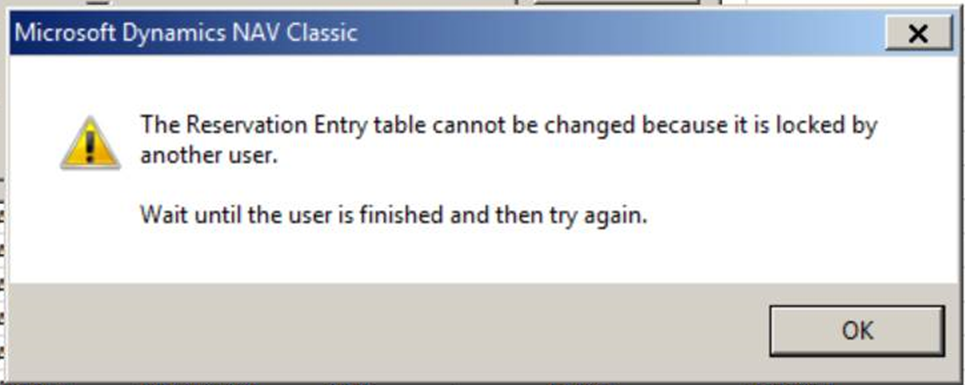
Running Dynamics NAV and facing Locking Issues in manufacturing, consumption postings, purchase postings?

Most of the time, we are not running a large job, automatic cost posting is set to never and we do not analyses the view. We used to have this happen a lot when we had a number of similar users doing the same thing like posting consumption or purchase postings.

Running Dynamics NAV and facing Locking Issues in manufacturing, consumption postings, purchase postings?

If you have access to see your development environment you can look at which table is locked and who is locking it. Then it can be visible what that user was doing as compared to whoever locked the table.

Explore Microsoft Dynamics 365 Business Central and NAV Add-Ons from MetaOption which helps your businesses and boost your operations efficiently across various industries.

For more information on facing Locking Issues in Dynamics NAV or other topics related to Dynamics NAV or Business Central Manufacturing, please contact us at MetaOption LLC

Frequently Asked Questions

Why do locking issues occur in Dynamics NAV?

Locking happens when multiple users try to update the same table or record at the same time, especially during posting or consumption processes.

Which table usually causes locking in NAV?

The Reservation Entry table is the most common one to lock, as it records reservation and allocation data during posting.

When do users face locking errors in NAV?

It mainly appears during purchase postings, invoice posting, manufacturing consumption, or when several users perform similar tasks simultaneously.

How can I identify who is locking a table?

In the NAV development environment, you can check active sessions to see which user or process is locking the table.

How can MetaOption help resolve NAV locking issues?

MetaOption provides expert troubleshooting, optimization, and NAV/BC add-ons to reduce posting conflicts and improve system performance.

naushad

Naushad Ahmed

Naushad Ahmed is a technology expert specializing in ERP, warehouse management, and supply chain solutions built on Microsoft Dynamics 365 Business Central. He shares practical insights on digital transformation, automation, and operational efficiency to help businesses optimize their processes and scale effectively.